Explore spatial intelligence through interactive MCP playgrounds
GISBlox MCP Studio gives you a simple, visual way to experiment with our MCP tools. Try curated playgrounds, see instant results, and dive deeper whenever you're ready.
Why use MCP Studio
Understand the behavior of our MCP tools and validate edge cases visually, giving you the confidence you need before integrating them into AI agents or LLM‑powered applications.
Guided, interactive playgrounds
Reveal MCP capabilities in seconds with simple, focused experiences instead of complex setup.
Instant visual feedback
See maps, boundaries, and spatial insights appear the moment you interact with a playground.
Zero configuration
Everything runs directly in the browser—no keys, installs, or environment setup required.
Understand tools through real spatial context
Grasp complex spatial concepts quickly through visual, hands‑on interactions.
Smooth path to Explorer
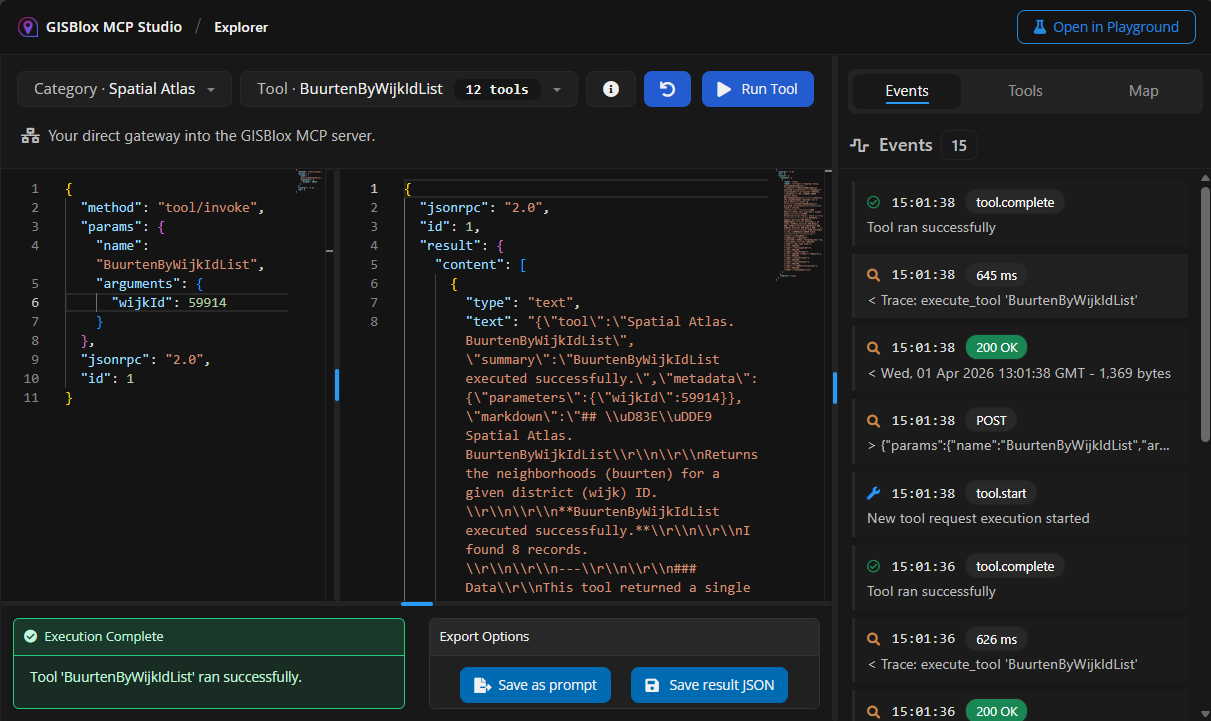
Move from guided playgrounds into the full Technical Explorer when you need deeper control.
Perfect for experimentation
Use MCP Studio for demos, onboarding, prototyping, or simply discovering what’s possible.
Try a playground
Use the playgrounds to test MCP tools with real inputs, inspect their behavior, and understand their outputs visually. It's the fastest way to build intuition before moving into the Technical Explorer.
Postcode Playground
Experiment with postcode lookups, boundaries, and spatial insights through simple, hands‑on experiences. Simply draw a shape on the map to reveal the postal codes.
Open PlaygroundGeometry Playground
A hands-on workspace for transforming, validating, and understanding spatial formats. Discover how our MCP tools interpret spatial data.
Open PlaygroundReady for more control?
The Technical Explorer gives you full access to every MCP tool, complete with parameters, schemas, and deep inspection capabilities. Move seamlessly from guided playgrounds into advanced experimentation.
Open Technical Explorer